
What changed on September 3, 2026—and what applies now?
Suno's plan-based download policy took effect on September 3, 2026. The current rules apply to existing and new songs, while listening, sharing, and linking inside Suno remain available. Suno now maintains the live figures in its current downloads FAQ.
This matters if you edit songs, send them to a distributor, deliver them to a client, or keep a local archive. A public song link can still play while the rules for downloading a file have changed, so treat playback and export as separate workflows.
Current as of September 4, 2026: Suno's live FAQ distinguishes Free users by when they joined, lists 20 monthly downloads for Pro and 60 for Premier, and describes Studio workflows separately. Check the account's live Download menu before planning a backup.
Current after September 3, 2026
How can you save files when a download is available?
Choose the tool that matches your library: one song or a public playlist.
Only use these tools for songs and playlists you own or have permission to download. They do not grant Suno commercial rights or bypass the account's allowance. Suno's rules, file access, and technical behavior may change, so confirm the live account and Download menu before saving a file.
What does each Suno plan get?
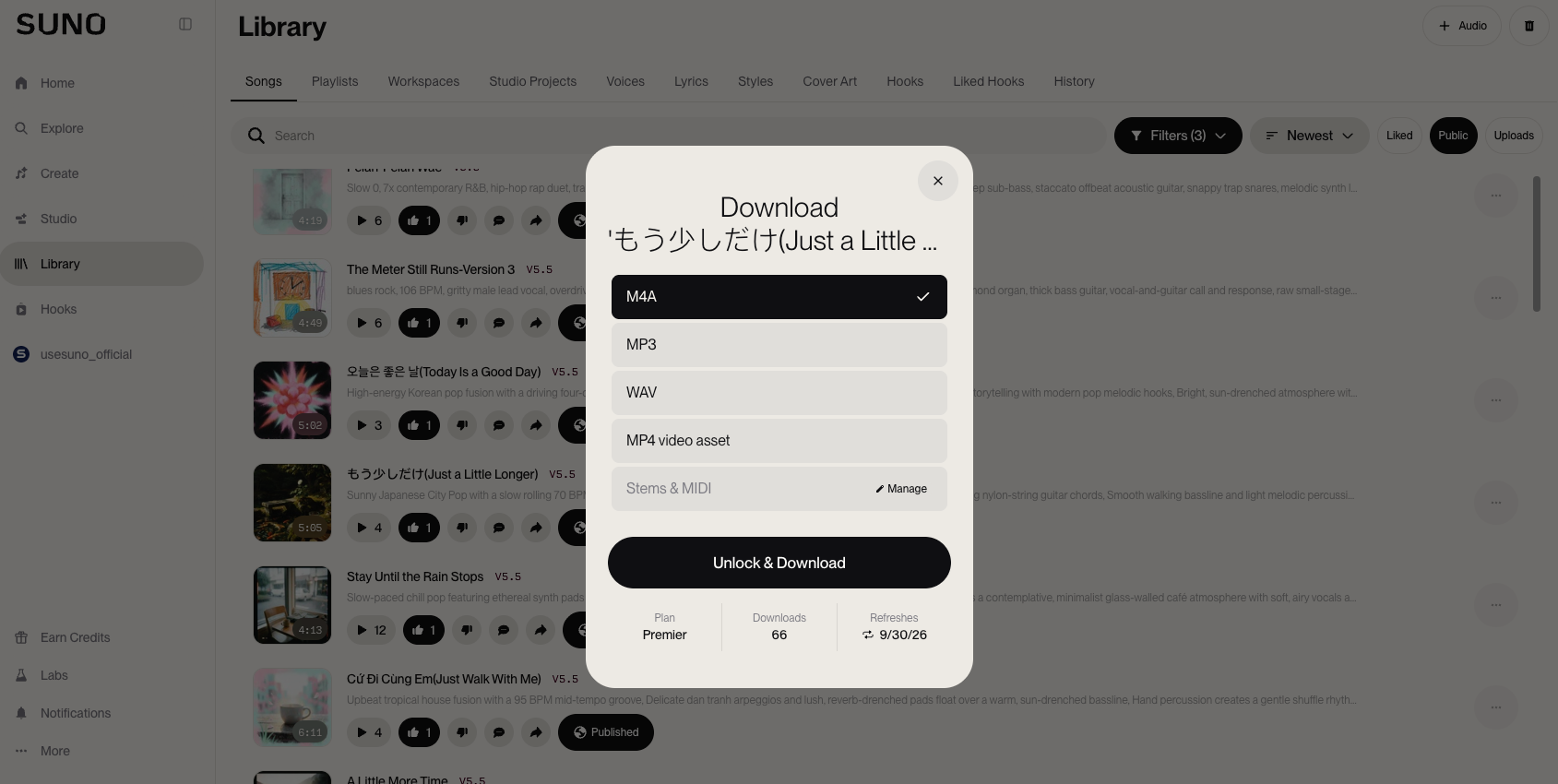
Suno's current FAQ lists 20 download credits per month for Pro and 60 per month for Premier. Free treatment depends on when the account joined: users who joined before September 3, 2026 have up to 7 trial downloads and can purchase additional downloads, while users who joined on or after that date may receive trial downloads occasionally and can purchase downloads. Suno says Premier workflows in Suno Studio are not subject to the ordinary limit. Check the live account because product controls and eligibility can change.
| Plan | Download allowance | Use notes |
|---|---|---|
| Free | Accounts joined before September 3: up to 7 trial downloads; accounts joined on or after September 3: trial downloads may be occasional | Trial downloads are personal and non-commercial; additional downloads may be offered for purchase |
| Pro | 20 downloads per month | Commercial use subject to Suno's terms |
| Premier | 60 downloads per month | Commercial use subject to Suno's terms |
| Premier + Suno Studio | Not subject to the ordinary download limit | Applies to the Premier Studio workflow under the current FAQ |
How should you count a Suno download?
The current downloads FAQ does not restate every repeat-download or asset edge case. Treat the account's remaining download balance and the live Suno Download menu as the source of truth. Do not assume that another format, stems, video, or a retry is free unless the interface makes that clear.
What should you verify beyond the quota?
Check the exact export options shown for the selected song and record the format you saved. This keeps a cover, lyric text, video asset, or stems decision separate from the audio-download allowance.
Will old Suno songs remain available?
Yes. Existing songs remain playable and shareable in Suno, while file downloads now follow the current plan and account rules. The change is not described as a library deletion. Existing songs can also remain starting points for covers and remixes, although new operations may use newer models when Suno retires earlier ones.
“Every song you've made stays fully playable and shareable on Suno.”
Source: Suno's downloads policy announcement
Can you still listen to and share a public link?
Yes, listening, sharing, and linking remain separate from downloading a file. A public link is still useful for showing a song to someone else, but it does not prove that the recipient may copy the audio or that a third-party downloader has the same status as Suno's own Download control.
Does commercial use depend on the download route?
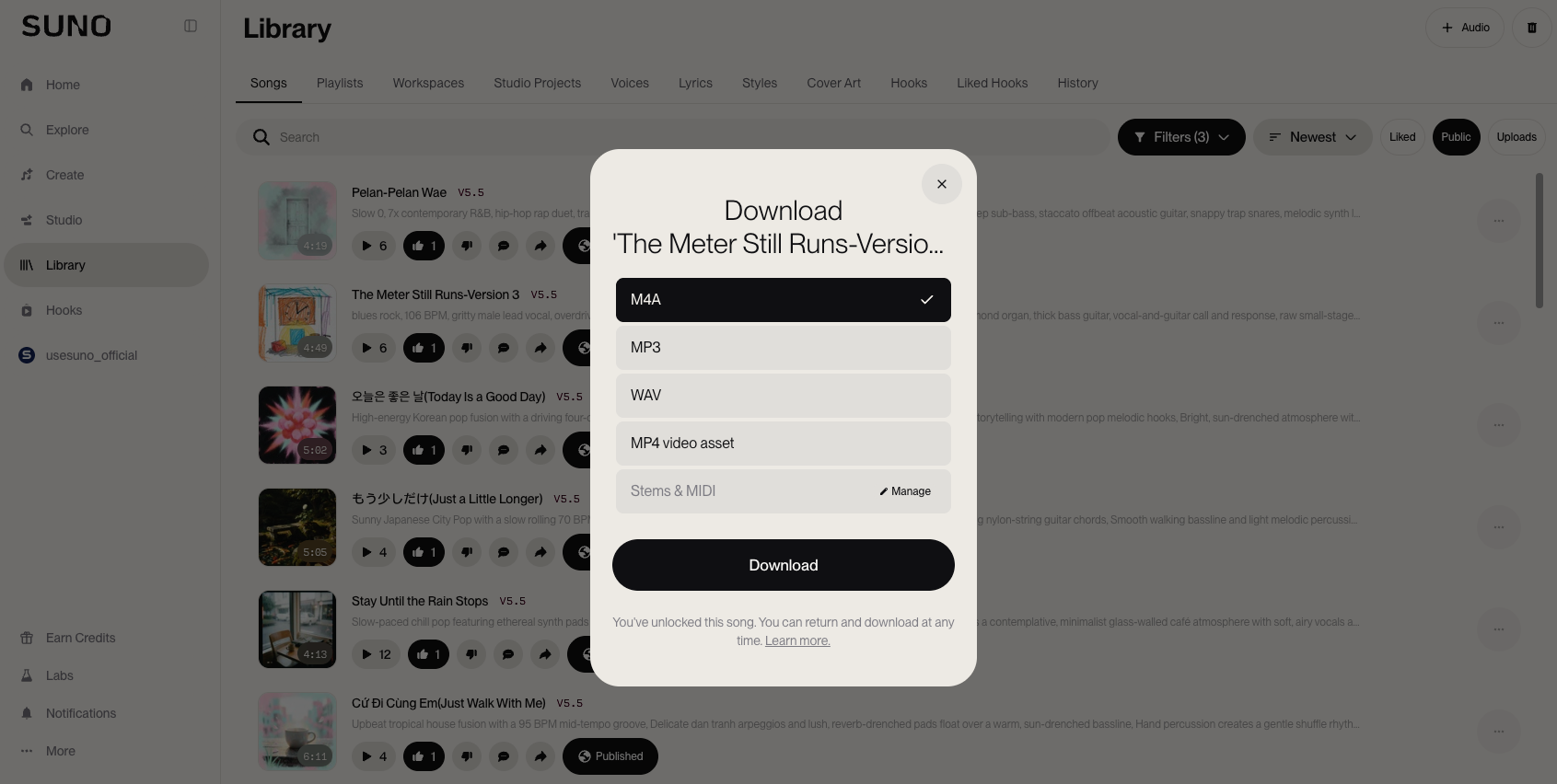
Yes. Under Suno's Terms of Service effective September 3, 2026, commercial use depends on obtaining a permitted download through an approved Suno channel and meeting the other conditions. Free or Basic outputs remain limited to lawful, personal, non-commercial use, and Remixes have separate restrictions.
“You may not commercially exploit Output that has not been downloaded by you through an approved channel.”
Source: Suno's Terms of Service
A paid subscription alone does not identify which file cleared the permitted-download condition. Keep the source song link, account plan, download date, and final file together with your project notes.
Why is a public file URL not a license?
A playable media URL does not prove that a copy came through an approved channel. Suno's Terms prohibit obtaining an Output through other means, including recording or stream ripping, and reserve the right to attach fingerprints, watermarks, or metadata identifying service tier and download status.
What should creators keep with a release file?
Keep the Suno URL, plan, download date, song version, prompt or lyrics record, and any relevant permission in one project folder. Do not remove provenance data while preparing a permitted file for release.
How should you back up Suno songs now?
Prioritize songs that already have a job outside Suno, then use Suno's own Library or Workspace Download controls while the account shows an eligible option or purchase path. Start with a client draft, planned release, song with stems you need to edit, or result that would be difficult to recreate. For Free users, the trial rules depend on when the account joined, and trial downloads are not eligible for commercial use.
- Mark the songs that need a local audio file, stems, video, or another export.
- Download through the Suno interface while the account shows an eligible download or purchase option.
- Store the file with its Suno URL, title, plan, date, prompt, lyrics, and production notes.
- Keep a second copy of important project files in a separate location.
Suno's official instructions say to open the triple-dot menu in your Library or Workspace, hover over Download, and choose an option. Read Suno's song-download instructions for the current interface.
What should you save with the downloaded file?
Your prompt, lyrics, Style text, cover reference, and revision notes may matter more than a single audio bounce when you return to a song. Keep those materials in a local folder or notes system you control. They also help you explain which version you downloaded and why you consider it the release candidate.
What can the third-party tools do?
For one public track, the single-song downloader can review available files. For a public playlist, the playlist downloader can list available tracks and prepare individual files or an available ZIP. These tools do not read your Suno allowance or grant commercial rights. If one still retrieves a URL after September 3, that technical result does not prove the download is permitted.
What should creators check now?
The policy took effect on September 3, 2026, so check the live Suno account, Download menu, and current Terms before treating a file as ready for release. The announcement and FAQ explain the main policy, but operational details can change as the controls evolve in the product.
- Confirm your plan's current download allowance and whether additional downloads are offered.
- Check which export types appear under the song's official Download menu.
- Verify the current commercial-use and provenance wording in Suno's Terms.
Do not infer those answers from a CDN response, a browser player, or a third-party parser. Suno may revise its plan details and product controls.
Separate access from release readiness
A song can remain playable in Suno while its local export, plan allowance, or commercial-use record still needs attention. Before you treat a download as release-ready, match the file to the account route that produced it and keep the source URL beside the project copy. This distinction matters when a public link opens for a collaborator but the creator has not confirmed an approved download channel.
Use a small provenance checklist
For each important song, record the plan, download date, visible Download option, file format, song version, and any permission from another creator. If a client receives a copy, keep the delivery note with the same record. The checklist does not change Suno's Terms or guarantee a right that the Terms withhold; it gives you evidence to review when the product controls or policy text changes. Recheck the official FAQ and Terms before a public release, especially for Free or Basic outputs and for remixes.
Source check: Read Suno's downloads announcement, the current downloads FAQ, and Suno's Terms of Service before making a release decision. Suno can revise its plan details and product controls.