Use your audio and lyrics
Load MP3, WAV, M4A, or FLAC audio, then add plain text, standard LRC, or enhanced word-timed lyrics.
Open-source browser tool · Lyrics MV
UseSuno MV Studio turns local audio and timed lyrics into a video you can shape. Choose an animated lyric style, preview the composition, and export the finished lyric MV from your browser.
Free · No account needed · Audio, lyrics, and project work stay in your browser
Bring the parts of a lyric MV into one local-first workflow instead of stitching together timing, typography, and export in separate apps.
Load MP3, WAV, M4A, or FLAC audio, then add plain text, standard LRC, or enhanced word-timed lyrics.
Choose from fourteen lyric treatments, four backgrounds, three aspect ratios, and font options. Most visualizers come from the open-source Folia project.
Check a short range before a full render, then export MP4 or WebM at 720p or 1080p and keep the editable project beside the video.
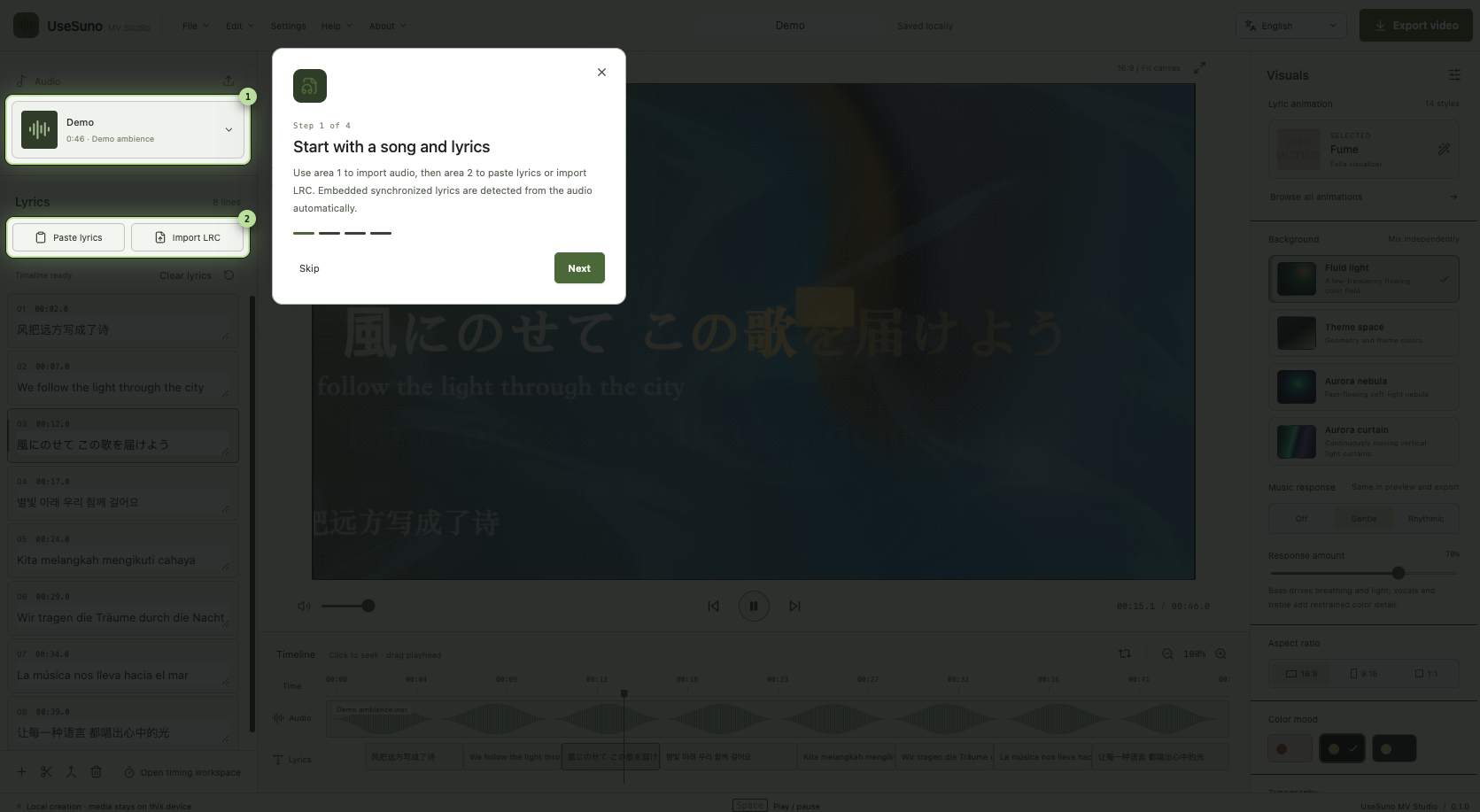
From file to finished video
The Studio reads the audio duration first, then gives you a clear path through lyric timing, animation, background, preview, and export.
.lyricmv project so the editable work is portable.Three passes are usually enough to get from an audio file to a shareable lyric MV.
Import the matching audio and LRC file. For an unsynced song, create timestamps with the Lyrics Timestamp tool.
Pick an animation, background, aspect ratio, and font. Let the song's pace and lyric structure guide the amount of motion.
Render a short section first. When the timing and text read cleanly, export the full video and save the project file.
The quality of the lyric video starts with the timing file. Use the source that matches your song version.
Use the Suno Prompt Manager browser extension on a Suno song detail page or in your Library, then download the lyrics as LRC.
Use Lyrics Timestamp to listen, mark the lines or words, and export an LRC file for MV Studio.
The workflow is designed to run in the browser. Your local audio, lyrics, and project data stay on the device while you work; browser decoding and export support still depend on the file and device.
That is exactly the use case for a lyric MV. Download the song audio and timed lyrics, then open MV Studio to create a separate animated video.
Read How to Use UseSuno MV Studio for Lyric Videos for the animation styles, Folia attribution, LRC workflow, and export paths.
Open the Studio with your audio and LRC file ready.